Creating a Repository
- Go to GitHub and sign in to your account
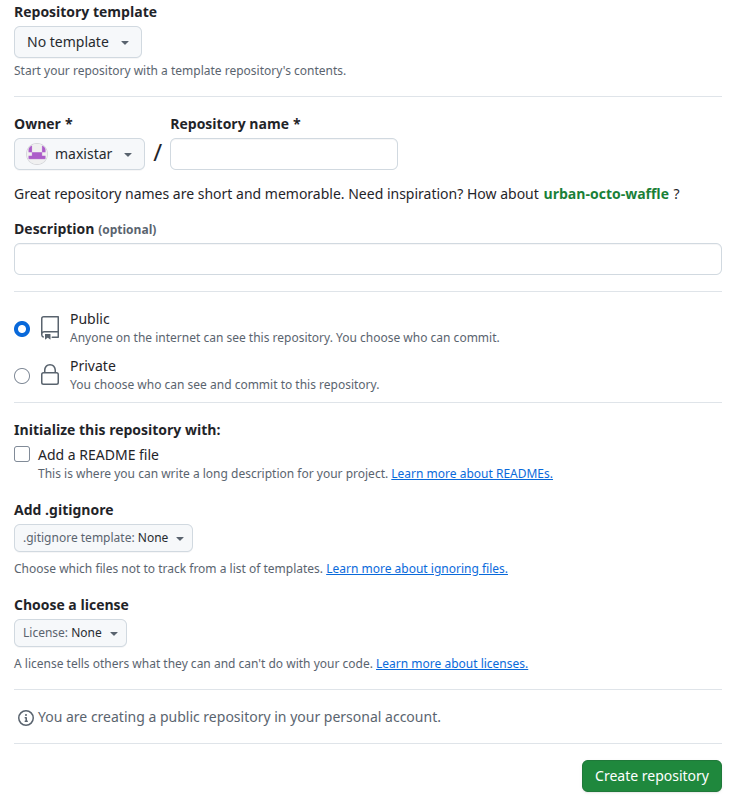
- Click the ”+” icon in the top right corner and select “New repository”
- In the repository name field, enter your desired repository name
- Select “Private” under “Repository visibility”
- Click the “Create repository” button
Setting Up HTTPS Access
- Generate a Personal Access Token (PAT):
- Click on your profile picture in the top right
- Go to “Settings”
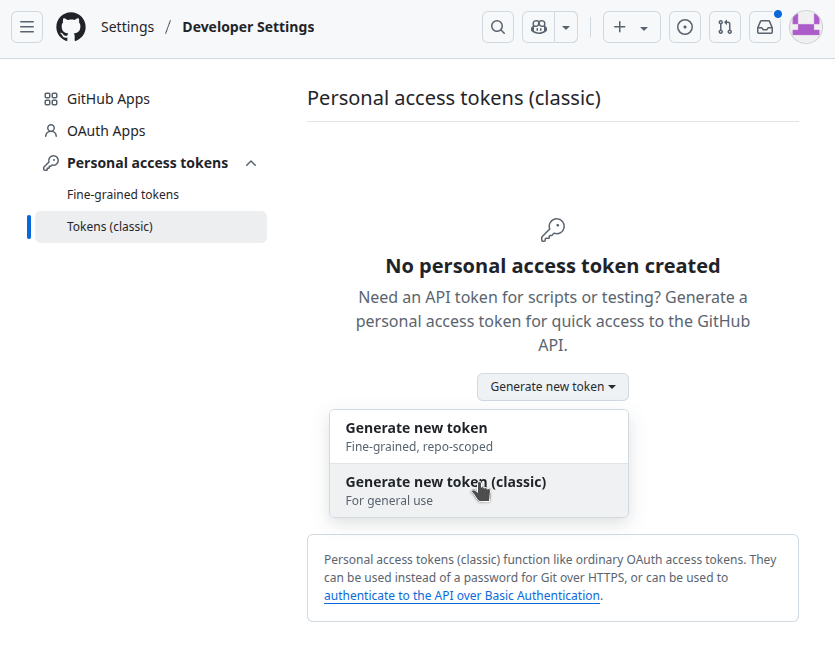
- In the sidebar, click “Developer settings”
- Click “Personal access tokens” > “Tokens (classic)”
- Click “Generate new token (classic)”
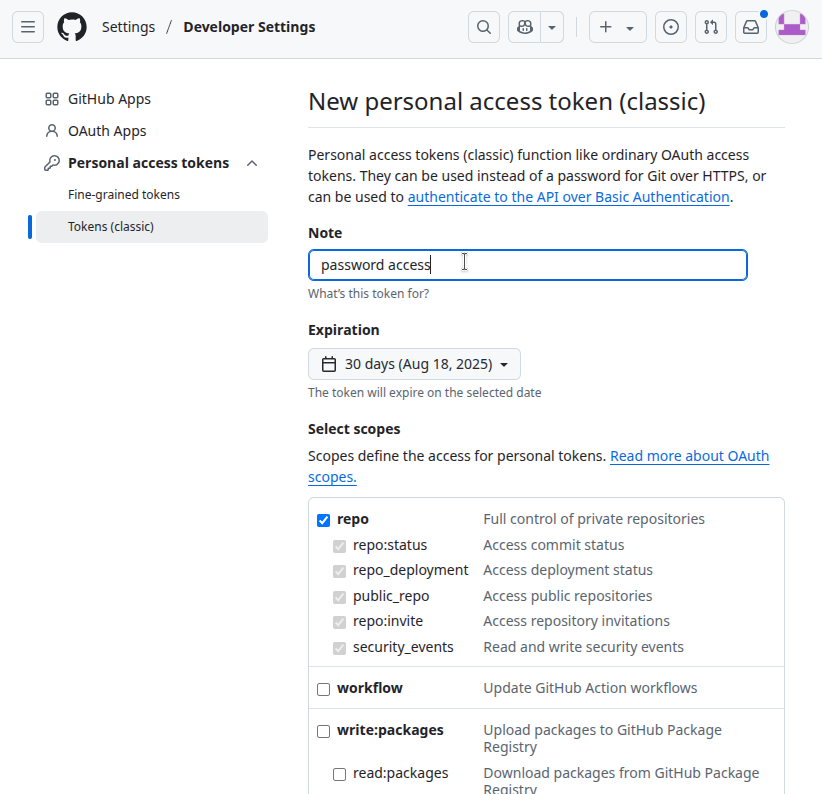
- Give your token a descriptive name
- Select “repo” scope under “Repository access”
- Click “Generate token”
- Copy the generated token immediately (you won’t be able to see it again)
- Using the token for HTTPS access:
- When cloning or pushing to your repository, use this format:
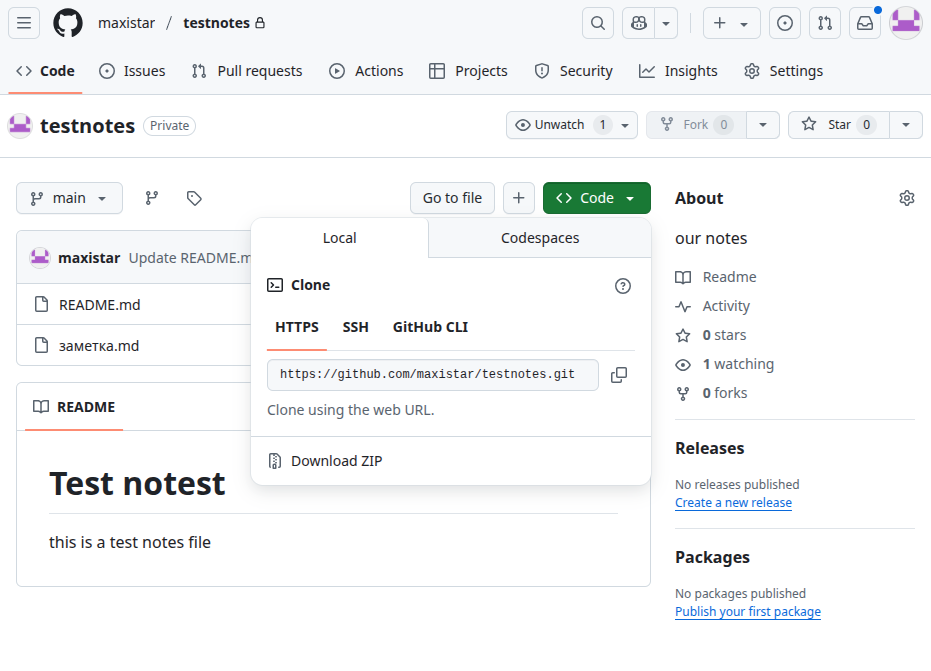
https://github.com/YOUR_USERNAME/YOUR_REPOSITORY.git
- When cloning or pushing to your repository, use this format:
- Replace:
YOUR_USERNAMEwith your GitHub usernameYOUR_REPOSITORYwith your repository name
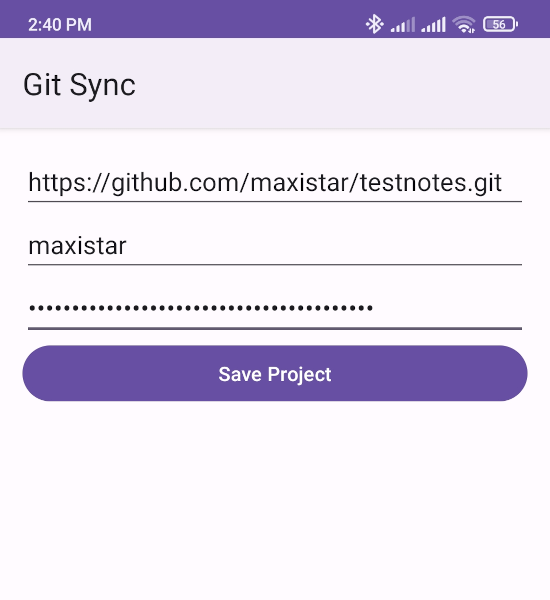
Use your username and project url to access your repository.
Use your personal access token as password for remote access. Please note, do not use your github password for accessing your repository - it will not work!
Important Notes
- Keep your Personal Access Token secure and never share it
- The token has full access to your repositories based on the scopes you selected
- You can revoke tokens at any time in your GitHub settings if needed
- Consider using a password manager to store your token securely