Sync a Notes Folder with Git
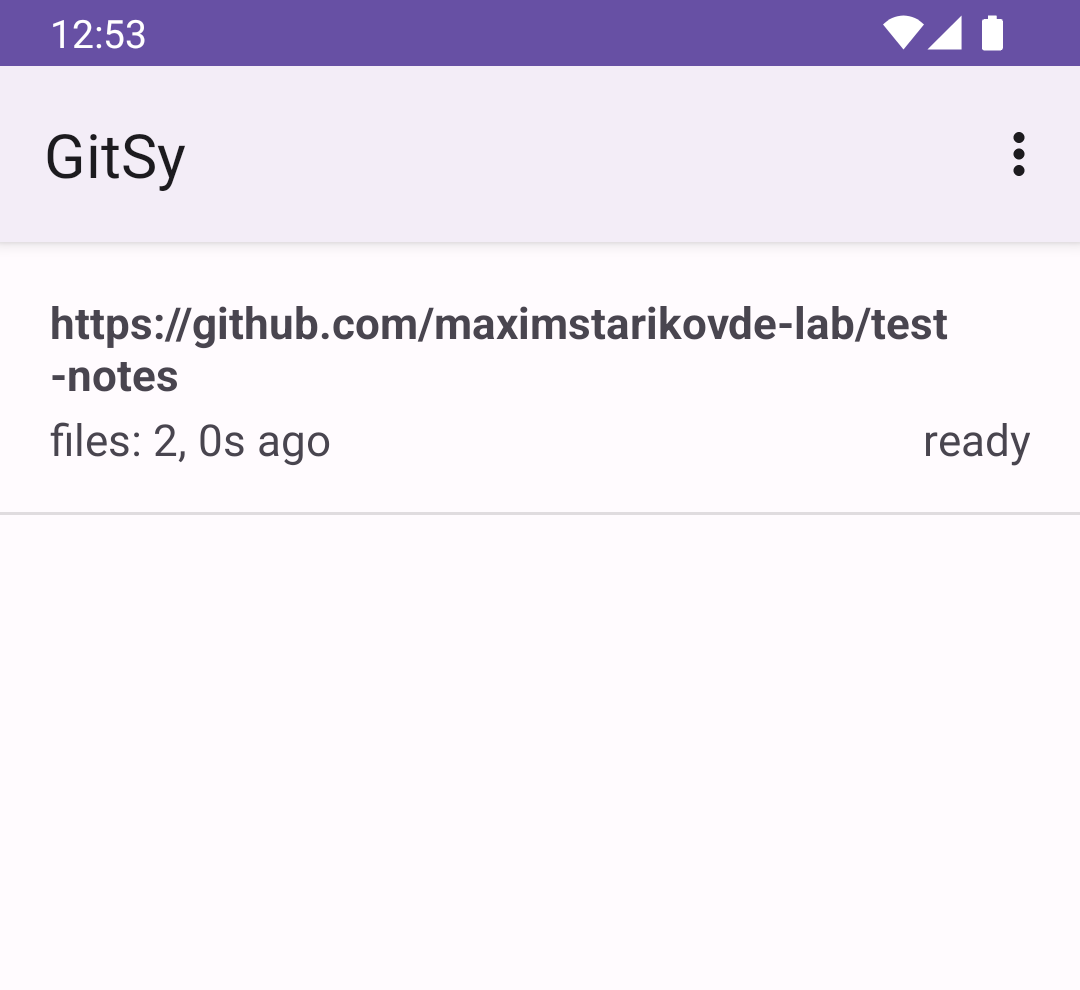
GitSy is an Android app for synchronizing a selected local folder with a Git repository over HTTPS or SSH. Use it with GitHub, GitLab, or another compatible Git server while keeping your files in a repository you control. Join Closed Testing
Why Choose GitSy?
Keep your local files and a Git repository in sync from Android
Git-based Sync
Use an HTTPS or SSH Git repository to sync the folder you select in GitSy. Your files stay in your own repository.
Android Folder Sync
Select a local folder through Android's storage picker and connect it to a remote repository.
Credentials Protected
Git credentials are stored on your device, while your file contents remain in your chosen folder and Git repository.
Manual Sync
Start synchronization for one repository or all configured repositories directly from the app.
Plain Files
GitSy works with files in the selected folder, so you can use your preferred note editor alongside it.
Periodic Check
When the app is opened, GitSy can queue ready projects for synchronization if they have not synced recently.
How to join closed testing
Get started with testing GitSy in just a few simple steps
Open the GitSy testing page
Open the GitSy Google Play testing page.
Join the alpha closed test
Confirm your participation in the GitSy closed test on the enrollment page.
Download the application
Install the GitSy app from the Play Store
Ready to Get Started?
Install GitSy and test Git-based folder synchronization on Android.
Download GitSy